Every area has its modules, explained briefly, and an example from the app. Nothing to install, and it all works on a phone.
Area 1 of 6Sport
Trainings and matches, without paperwork.
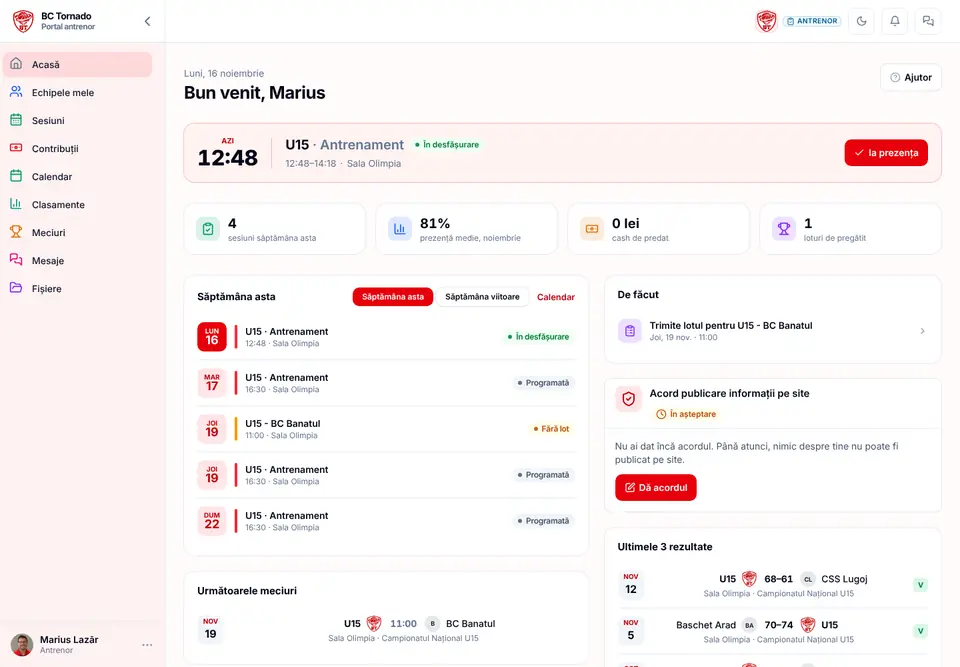
The week’s schedule, attendance, competitions and events live in the same calendar, for coaches, parents and players.
AdministratorCoachParentPlayer
Trainings
Schedule, sessions, attendance
Each group’s schedule creates its sessions by itself. The coach takes attendance on a phone, and absences are announced in advance.
Attendance in one tap, on the coach’s phone
Parents and players announce an absence, the coach approves it
Sessions moved or cancelled, with an automatic notification
Attendance reports per player and per group
Competitions
Championships, matches, standings
Automatic sync
The championships, opponents and matches of your teams, with squads, results and match documents.
Competition sync and import: fixtures, results, standings
Match squads and call-ups, with each sport’s limit
Player statistics and penalties
Match sheet generated from the squad
Training plans
Drills and programmes with video
The academy’s drill library and its staged programmes, used by coaches in their sessions.
Drills with a description and video
Programmes by week and stage, attached to sessions
Players see the plan in their portal
Events
Camps, meetings, tournaments
Camps, parent meetings and tournaments, with participants and reminders.
Announcement, reminder and cancellation sent automatically
Shown in every participant’s calendar
National Championship · Girls U14Synced today, 06:00
HC Vulturii Junior31 : 27Știința Sport
Pos
Team
P
Pts
1
CSM Unirea
7
12
2
Știința Sport
7
10
3
HC Vulturii Junior
7
9
4
AHC Carpați
7
8
The same result appears on the website, in the parent portal and in the coach’s calendar.
U13 · TrainingIn progress
Andrei PopescuPresent
Denis AvramPresent
Vlad StoicaExcused · announced by the parent
Handball · workingFootball · in progressBasketball · in progress
Real screenshot: the coach portal.
Area 2 of 6People and access
Every person, with their connections.
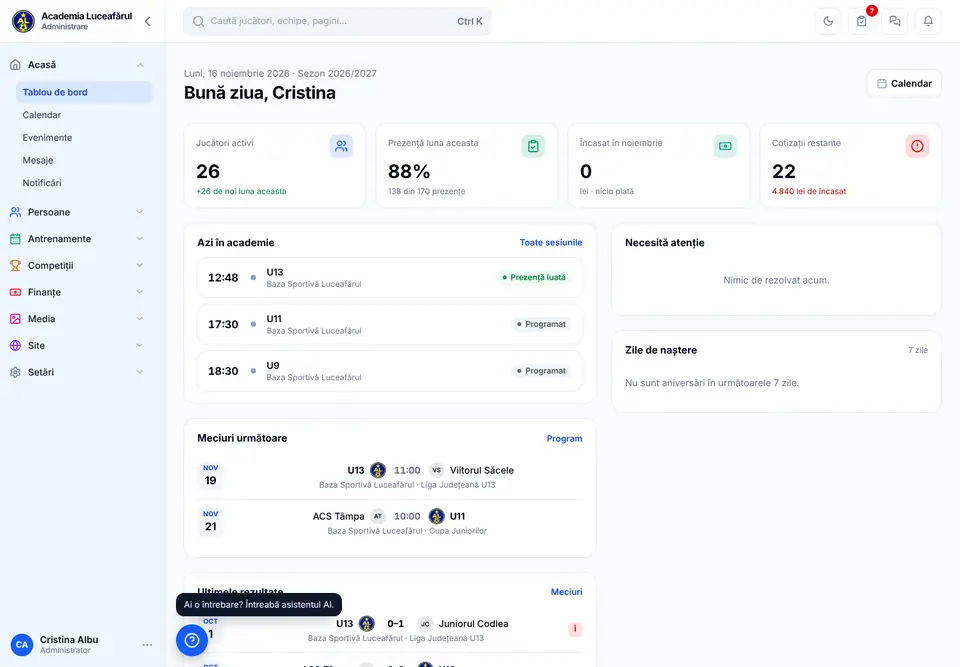
Players, parents and coaches are added only once. From there they appear in groups, in attendance, in fees and on the website. Every portal is in Romanian and English, and other languages can be added.
AdministratorCoachParentPlayer
People
Players, parents, coaches
A record for every player, parent and coach, with family, documents and history. A person is added only once.
Import from Excel at the start, export at any time
Siblings and parents linked to each other
Your own fields: kit size, school, licence number
Activity log on every account
Teams and groups
By age for matches, mixed for training
Teams play matches by age category, while groups train together and can mix ages and towns.
A player can be in several groups
Head and assistant coaches on every group
Transfers between groups, with history
Portals and security
Access by role, in several languages
Romanian and English
Four portals, one for each role, in the club’s colours. Everyone sees only what they need.
Portals for the administrator, coach, parent and player
Available in Romanian and English; we can add other languages
Access roles for the office, the accountant or a manager
Email code when signing in from a new device
One account for a parent who is also a coach
AP
Alina Preda · no. 3Left wing · Girls U14
Parent: Sorin PredaSister: Ana PredaMedical clearance valid
GroupsGirls U14 · Goalkeepers
FeeUp to date
Real screenshot: the administration panel.
Area 3 of 6Money
You always know who has paid and how much the club has.
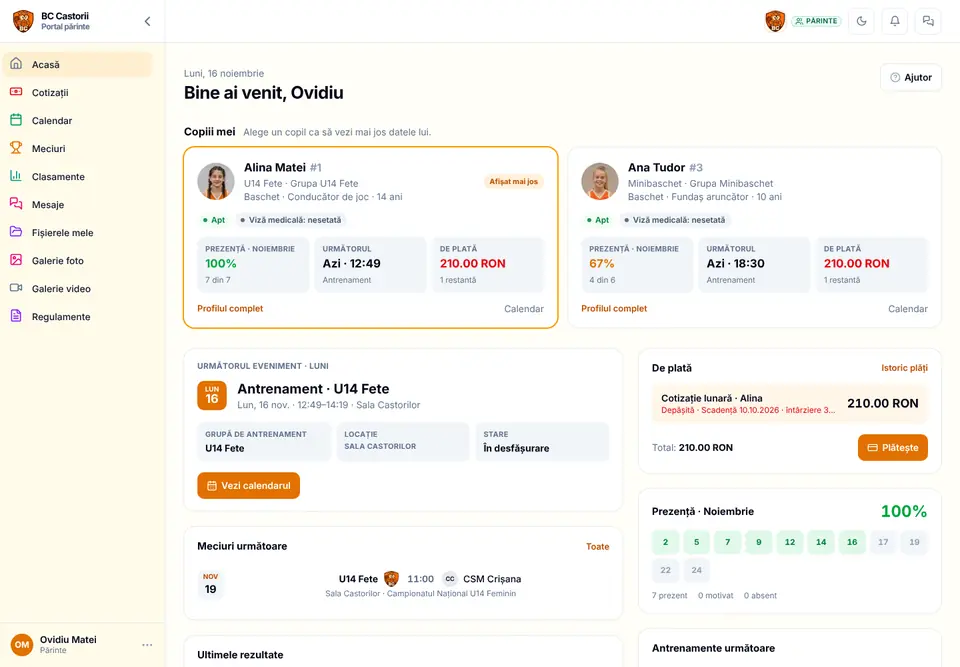
Fees are created by themselves every month, parents pay by card with no platform commission, and through Oblio and e-Factura your invoices are in the same books.
AdministratorCoachParent
Fees and finance
Plans, payments, expenses, reports
Fees are created by themselves every month, and income and expenses live in the same place. You always know how much money the club should have.
Fees created automatically, with sibling discounts and temporary exceptions
Payments in cash, by bank transfer or by card
Income and expenses by category, with monthly reports
Oblio and e-Factura integrations, for complete books
Cash and bank balances
Online payments
By card, with no platform commission
No commission
Parents pay by card from their portal, and the money goes straight to the academy’s account. The platform takes no commission on payments.
No platform commission, on any card payment
Through the academy’s own EuPlătesc or Stripe account
Automatic monthly payment, with a cap chosen by the parent
Notification and confirmation for every payment
Equipment stock
What you bought and who received it
Keep track of the equipment you bought and of what was handed to each player.
Products by size, received in batches with their purchase price
Handover to a player, with the number and name on the shirt
See at any time what each player received and what is left
Parent portal · To pay
Monthly fee · NovemberAlina · Girls U14 · due on the 10th
210 lei
Pay by card
No platform commission
OctoberPaid by card
SeptemberPaid in cash, to the coach
Stock
Match shirt · MIn stock: 14
Handed to Matei Ionescuno. 7 · MATEI
Tracksuit · 152In stock: 2
Real screenshot: the parent portal.
Area 4 of 6Communication, documents and files
The message and the file reach the right people.
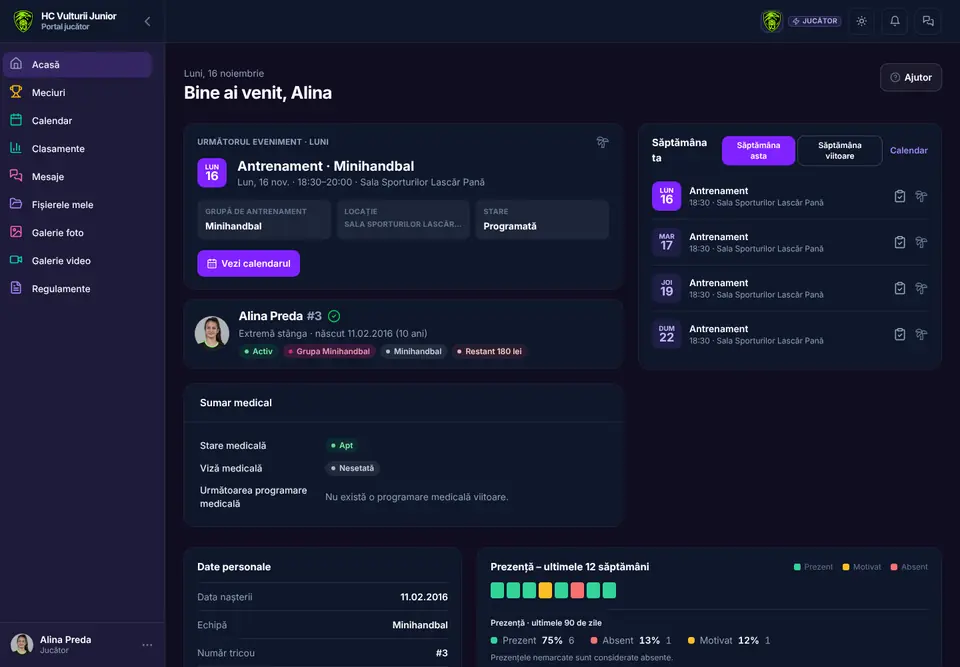
Announcements, conversations, documents, photos and medical clearances are tied to the group and the player, not scattered across phone groups.
AdministratorCoachParentPlayer
Communication
Chat, emails, notifications
Group conversations, announcements and notifications that lead straight to the right page.
Messages between coaches, parents and players
A group’s chat keeps up with its members by itself
Notifications in the app and by email, in the academy’s name
Email templates you can rewrite
Documents
Certificates, school absence notes, contracts
Documents filled in automatically with the player’s and the academy’s details, from your templates.
School absence notes for missed classes, generated in seconds
Athlete certificates, match sheets and notices to the federation
Templates with the academy’s letterhead, different for each sport
Notes and certificates appear directly in the parent’s and the child’s account
Files, photos and video
Everything you upload, shared with the right people
New
The academy’s photos, clips and files live in one place and reach the players and parents they are meant for.
Photo and video galleries from matches, trainings and tournaments
Players and parents see the photos and clips their children appear in
Files with an expiry date and a reminder before it
Sharing with a group, a team or a single player
Albums brought from Google Photos, without using storage
Medical
Medical clearances, records, appointments
The players’ medical clearances with their expiry date, the medical record and appointments.
Reminder to the parent and the coach before expiry
The clearance is visible when picking the match squad
Appointments and medical notes per player
U13 group
CoachOn Saturday we leave at 8:30 from the hall. White kit.
Got it, Andrei is coming.
School absence notePDF
Generated from the template for Alina Preda. Her parent sees it too, in their account.
Brașov tournament · 48 photosPhotos
Alina appears in 6 photos. She and her parents see them.
Medical clearance · Denis AvramExpires in 21 days
Reminder sent to the parent and the coach.
Real screenshot: the player portal.
Area 5 of 6Website
A website that updates itself.
The academy’s public website is included. Teams, schedule, results and standings come straight from the app, and the AI can build it, translate it and keep it fresh with news.
Administrator
Public website
Included, fed by the academy’s data
The academy’s website, with teams, coaches, schedule, results, news and galleries that come straight from the app.
Several websites in one account: work on a new one without touching the public one
Registration forms, with the messages in one place
Your own domain and pages ready for Google
Import from your old website
Themes and widgets
Ten themes, designed per sport
Ten themes designed per sport, each with colour palettes and match widgets.
Next match, latest results, standings
The club’s colours and crest everywhere
A visual editor where you move sections around
AI-generated website
A whole website, from a description
AI
Tell it in a few lines who you are, and the AI builds the website: pages, sections and texts, on the theme you chose.
A new website generated in minutes, which you then adjust in the editor
The AI rewrites and corrects any text
Automatic translations into the website’s other languages
Nothing is published until you press Publish
News written by AI
On the spot or scheduled
AI
The AI writes the website’s news from the match data: result, scorers and standings.
A news post written on the spot, from a match or a few ideas
Automatic news after every match or once a week
They stay drafts until you check them, or are published directly, as you choose
Translated automatically into the website’s languages
we have good trainings for kidsTraining on an artificial pitch, with licensed coaches, for children aged 5 to 14.
RewriteCorrectTranslate into Romanian
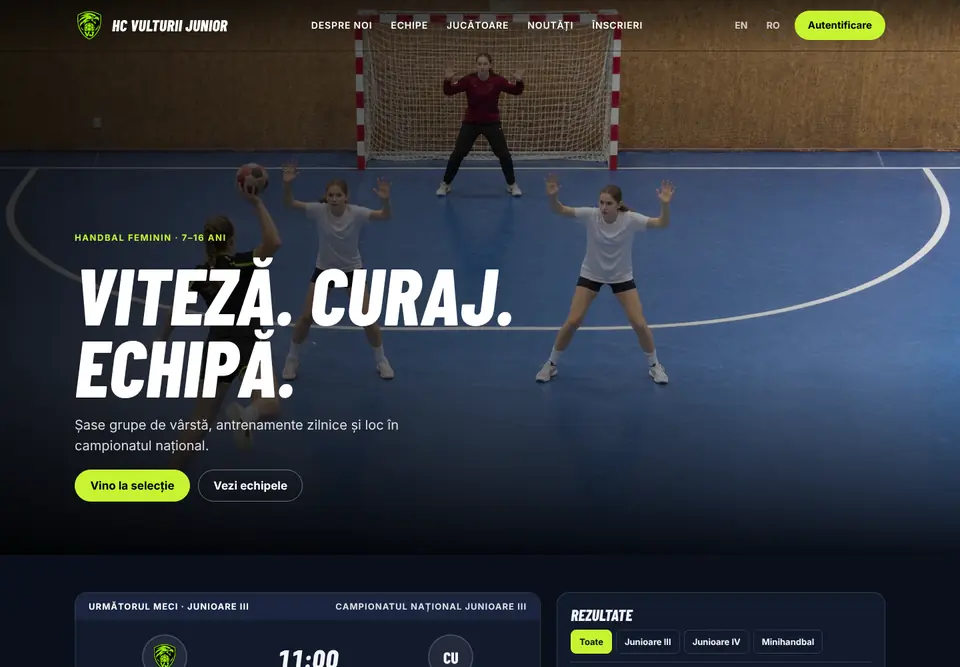
Real screenshot: the Arena theme, handball.
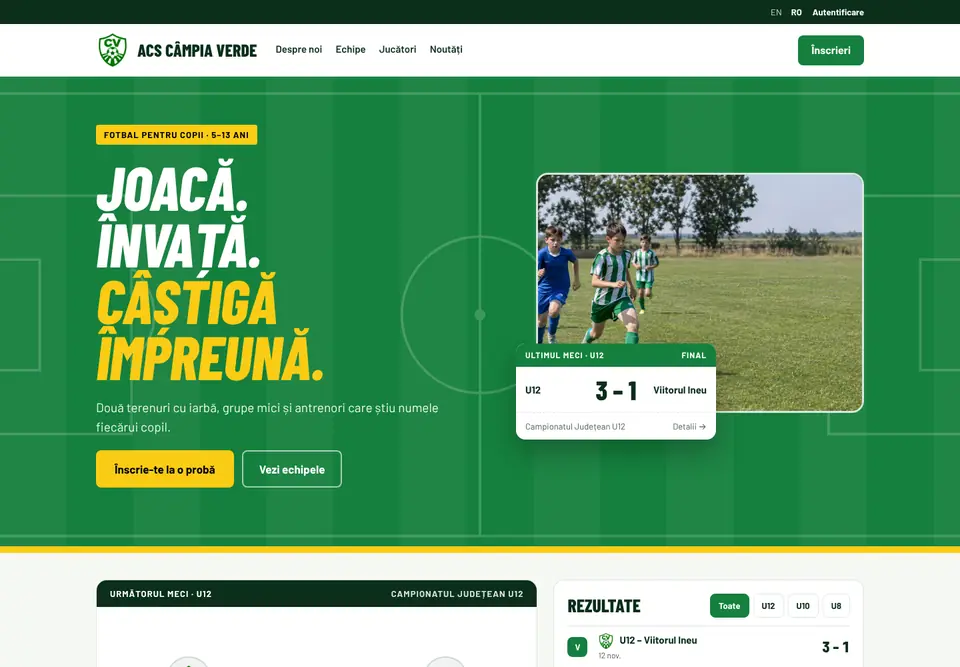
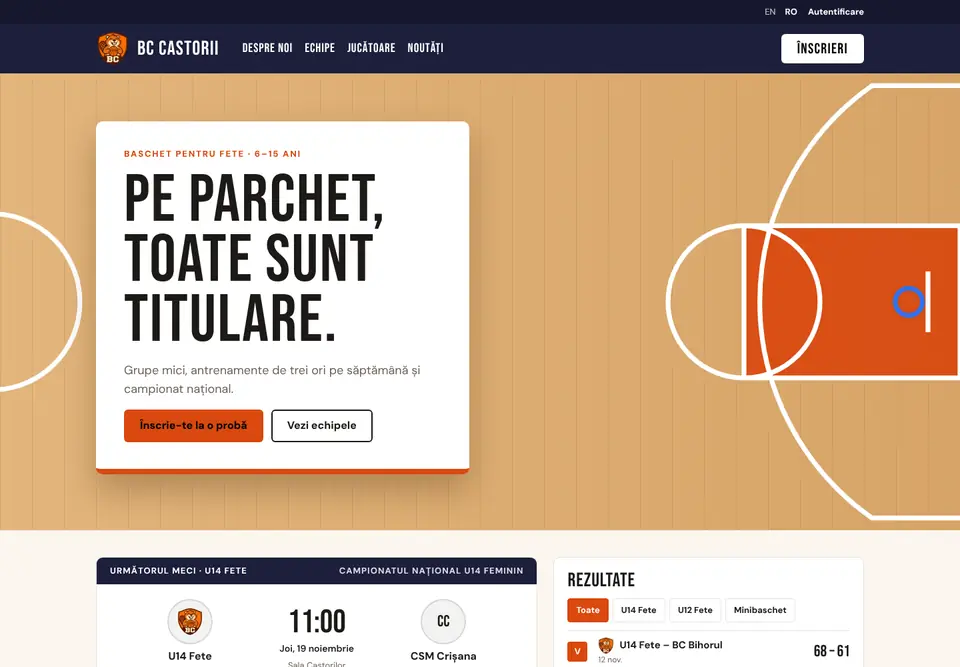
Real screenshots: the Teren (football) and Parchet (basketball) themes.
Area 6 of 6Help and AI
You are never alone with the app.
The help button is always in the corner of the screen. The AI assistant answers at once, and tickets are picked up by real people. AI is included in every plan; usage limits apply, and beyond them extra costs may apply.
AdministratorCoach
AI assistant
Answers about the app, at once
AI
Ask how something is done or configured and get the answer at once, with a direct link to the right page.
Finds information in the guides and in your academy’s settings
Tells you what is left to configure
It does not see the children’s data and changes nothing
When it does not know the answer, it prepares a ticket for a person on our team
Support tickets
A real person answers
Write to our team straight from the app, with the page and a screenshot attached. The ticket is picked up by a real person.
The AI assistant helps you write the ticket
We answer within 24 hours
You see the whole history of the conversation
Guides and first steps
Help on the page you are working on
Guides for every area of the app and a list of steps for the first setup.
Help right on the page you are working on
The state of the setup, with what is left to do
AI assistantTicketsGuides
Why are fees not created for the U11 group?
AI assistantThe U11 players have no fee plan assigned. Open Finance › Fee plans and press “Assign” on the plan you want.Open Fee plans →
Did it not help?Open a ticket
Ticket · I cannot assign the planAnswered
Sent yesterday at 16:20 · answered by Ioana, today at 9:05
See every module on your own academy.
The first 30 days are free, no card needed. We help you import your data and set things up.
We use essential cookies to make the site work. If you agree, we also use analytics and marketing cookies, to see how the site is used and to improve it. You can change your choice at any time from the "Cookie settings" link.